
Resource Guide
How to Choose a Price Computing Scale for Grocery Stores and Retail Counters in Dubai
A practical guide for grocery store owners and retail operators in Dubai on choosing price computing scales that support speed, display clarity, hygiene, and POS integration.
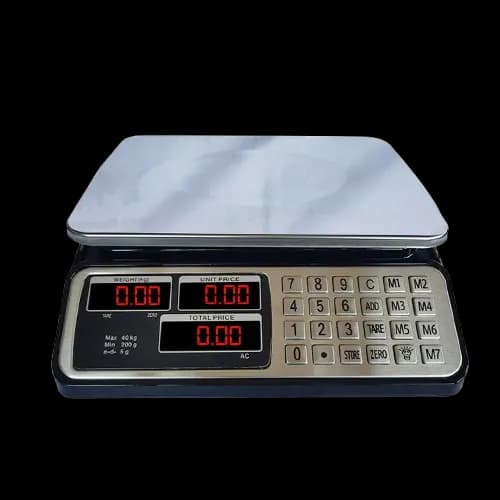
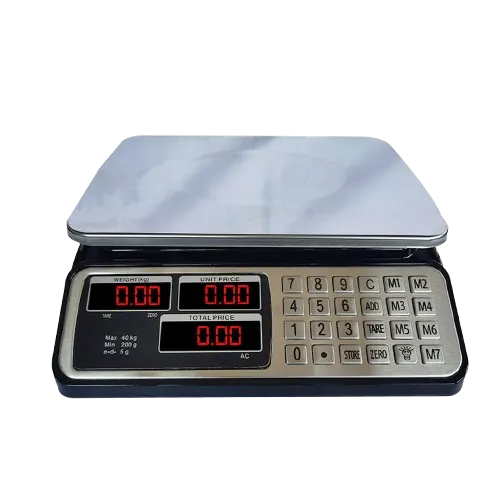
Retail counters in Dubai and across the UAE face a common challenge. During peak hours, the weighing process must remain fast, clear for the customer, and easy for the operator. If any part of that process slows down, checkout lines grow and customer satisfaction drops.
A price computing scale that fits your store type and transaction volume can prevent these problems. This guide explains what to look for and how to match a scale to your grocery or retail operation.
What Your Retail Team Actually Needs
At a busy counter, the operator does not have time for complicated steps. The weighing workflow should be direct and repeatable, even when staff rotate between shifts.
Prioritize these qualities when you evaluate retail scales:
- Fast response time and a display that settles quickly
- Simple price entry and the ability to recall common items
- A customer-facing display that shows weight, price, and total clearly
- A surface that can be cleaned easily, especially in food environments
- Controls that new staff can learn in minutes
Many store owners focus on the feature list first. A better approach is to ask your team what slows them down during busy periods and then look for a scale that removes those bottlenecks. Our range of price computing scales includes models designed for grocery and supermarket use.
Display Clarity Builds Customer Trust
In supermarkets and grocery stores, the customer display is as important as the operator screen. When shoppers can see the weight and price clearly, billing disputes decrease and checkout confidence improves.
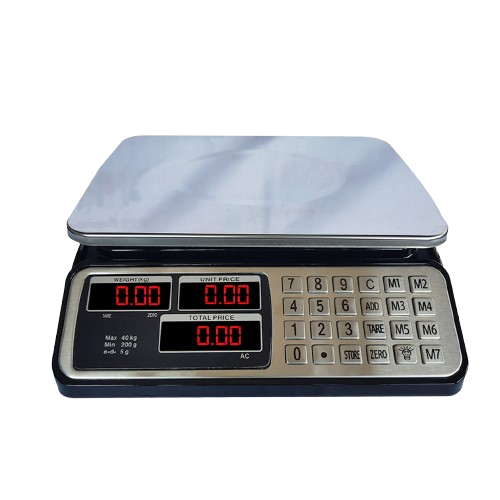
A dual-display scale helps in two ways. The operator reads their screen while the customer watches a second display. Both parties see the same information, which reduces the need for verbal explanations during busy periods.
Some tips for counter layout:
- Position the customer display at natural eye level
- Ensure the screen is readable under different lighting conditions
- Use a scale with large, high-contrast digits for quick reading
For more on how accuracy and display clarity affect daily operations, read our guide on scale accuracy and routine checks.
POS Integration Prevents Manual Errors
Many stores in Dubai still treat scale selection and billing setup as separate purchases. This separation creates a problem later. Staff end up re-keying weight values into the billing system, which introduces errors and slows down every transaction.
A better approach is to confirm how weighed items will flow into your billing process before you buy the scale. Ask these questions:
- Does the scale need to connect to an existing point-of-sale system?
- Will staff have to type weight values manually into a register?
- Do you need label printing or inventory tracking from the scale?
When the scale communicates directly with your billing system, the error rate drops and the checkout process becomes smoother. Our table top and bench scales offer options for stores that need integration-ready equipment.
Maintenance for Uninterrupted Service
Retail scale uptime depends on simple daily habits. A few minutes of preventive care can prevent hours of disruption later.
Build this routine into your team schedule:
- Check zero balance before the first transaction of the day
- Wipe down the platform and check for debris or damage
- Perform a quick test with a known weight during a quiet period
- Document any readings that look unusual and escalate when needed
This routine protects your checkout flow throughout the day. For more detailed maintenance guidance, the International Organization of Legal Metrology publishes reference documents on weighing instrument testing at OIML.org.
Store Planning Checklist Before Purchase
Before you commit to a retail scale model, go through this checklist with your team:
- Measure your counter space and confirm the scale footprint fits
- Estimate your daily transaction volume to choose a durable model
- Identify the typical weight range per transaction
- Confirm language and display readability requirements
- Determine integration needs with your billing or inventory system
- Discuss support channels and replacement lead time with your supplier
Which Scale Type Fits Your Store?
The type of retail scale you need depends on what you sell and how you operate. Here is a quick overview of the main categories:
- Price computing scales are the standard choice for grocery stores and supermarkets. They calculate the total price based on weight and unit price, and many models print labels or connect to POS systems.
- Table top and bench scales work well for back-of-house operations, such as receiving stock or preparing packaged goods.
- Hanging scales are useful in markets and produce sections where items are suspended rather than placed on a platform. You can explore the hanging scales collection for options.
If you are not sure which type fits your store, contact our team through the contact page with details about your store type and daily transaction profile.
Final Takeaway
For retail and grocery environments in Dubai and across the UAE, the best scale is the one that keeps checkout moving without creating hidden process friction. Choose a model that your team can operate accurately at peak speed. The right price computing scale will support your checkout flow, build customer confidence, and reduce errors in daily operations.
Share your store type and daily transaction profile with us, and we can suggest suitable price computing options quickly.